
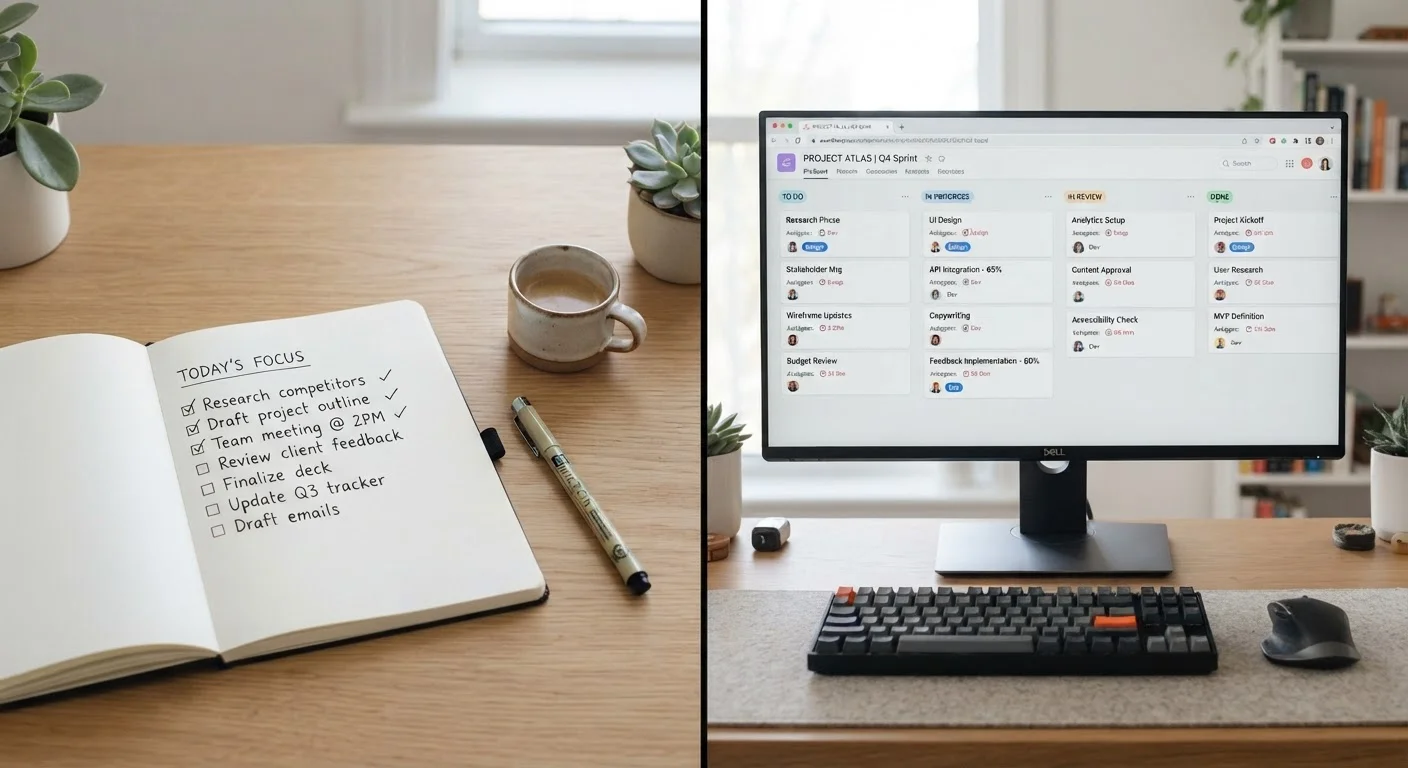
The Core Distinction: Scope and Structure
Both tools help you track work - but they're engineered for very different problems. A task manager is essentially a structured to-do list. It lets you capture actions, set due dates, add notes, and organize items by priority or context. The focus is on you: what do you need to do today, and in what order?
A project management platform is built around the concept of a project - a collection of related tasks that move through defined phases, involve multiple people, and have a shared goal. These tools add layers that task managers lack: dependency tracking (Task B can't start until Task A finishes), role assignments, milestone markers, Gantt charts or timeline views, and team-level dashboards.
Think of the difference this way: a task manager answers "What do I need to do?" A project management platform answers "How is our work organized, who owns each piece, and are we on track?" Collapsing those two questions into one tool almost always creates friction in one direction or the other. See how each productivity app category fits a different gap for a broader map of where these tools sit alongside note-takers, calendars, and communication apps.
| Criterion | Task Managers | Project Management Platforms |
|---|---|---|
| Primary user | Individual | Team or solo with complex projects |
| Core unit of work | Single action or to-do | Project with phases and milestones |
| Dependency tracking | Rarely available | Core feature |
| Timeline/Gantt views | Uncommon | Standard in most platforms |
| Team assignments | Limited or absent | Central to workflow |
| Setup complexity | Low - capture and go | Moderate to high |
| Best time horizon | Hours to days | Weeks to months |
| Stakeholder visibility | Personal use only | Designed for shared visibility |
When a Task Manager Is the Right Call
Task managers shine when the work is primarily personal and execution-focused. If you're managing your own daily priorities - errands, writing drafts, follow-up calls, study goals - a task manager keeps the overhead near zero. You capture, you prioritize, you act.
They're also well-suited for knowledge workers who receive assignments from a project system but need a personal layer to handle the daily flow of their work. Your team's project board tracks the sprint; your task manager tracks what you personally need to accomplish before lunch.
~80%
Workers using multiple productivity apps
Research from productivity platform surveys consistently finds that most knowledge workers rely on more than one app to manage their work across contexts.
2-3x
More features in project platforms vs. task apps
Feature audits of popular tools show that project management platforms typically offer two to three times as many configuration options as standalone task managers.
Where task managers fall short: they offer little help when work spans weeks, involves handoffs between people, or requires anyone outside yourself to see progress. Trying to run a product launch or a client engagement through a task manager usually means critical context lives in someone's head rather than in the system.
When a Project Management Platform Earns Its Complexity
Project management platforms justify their steeper learning curve when work has interdependencies, multiple contributors, or a defined start-to-finish arc. If missing one step derails three others - or if a client, manager, or collaborator needs visibility without being briefed manually - a project platform provides the structure to handle that.
They're also useful for solo professionals managing client-facing work. A freelance designer scoping a brand identity project benefits from phase-based structure (discovery, concepts, revisions, delivery) even without a team, because it forces realistic scoping and creates a paper trail.
The risk is over-engineering. Routing every small personal task through a full project board adds administrative drag that kills momentum. If you notice you're spending more time organizing work in the platform than doing it, that's a signal worth investigating. Recognizing when a productivity system has stopped working can help you diagnose whether the tool or the workflow design is the real problem.
Hybrid Tools Blur the Line
Several popular apps now market themselves as both task managers and project management platforms. These hybrids can work well for individuals or small teams with moderate complexity. Before adopting one, identify which capability you need most - personal capture speed or team-level structure - and evaluate whether the hybrid tool genuinely delivers on that priority, or simply offers a watered-down version of each.
Running Both Tools Without Creating Chaos
Many people find that the two tools complement each other well once each has a defined lane. A practical approach: use the project platform for shared or multi-phase work, and the task manager for personal daily execution. The key is a clear rule about what lives where - and discipline about not duplicating entries across both systems.
Some project platforms have lightweight personal task views built in. Some task managers allow basic project-style grouping. These hybrid features can reduce the need for two separate apps, but they rarely replace the full capability of a dedicated tool in either category. Use the hybrid features for simple cases; reach for the dedicated tool when the work genuinely demands it.
The underlying principle is always the same: match the complexity of the tool to the complexity of the work. A tool that's too simple loses important context. A tool that's too complex slows you down before you've accomplished anything.